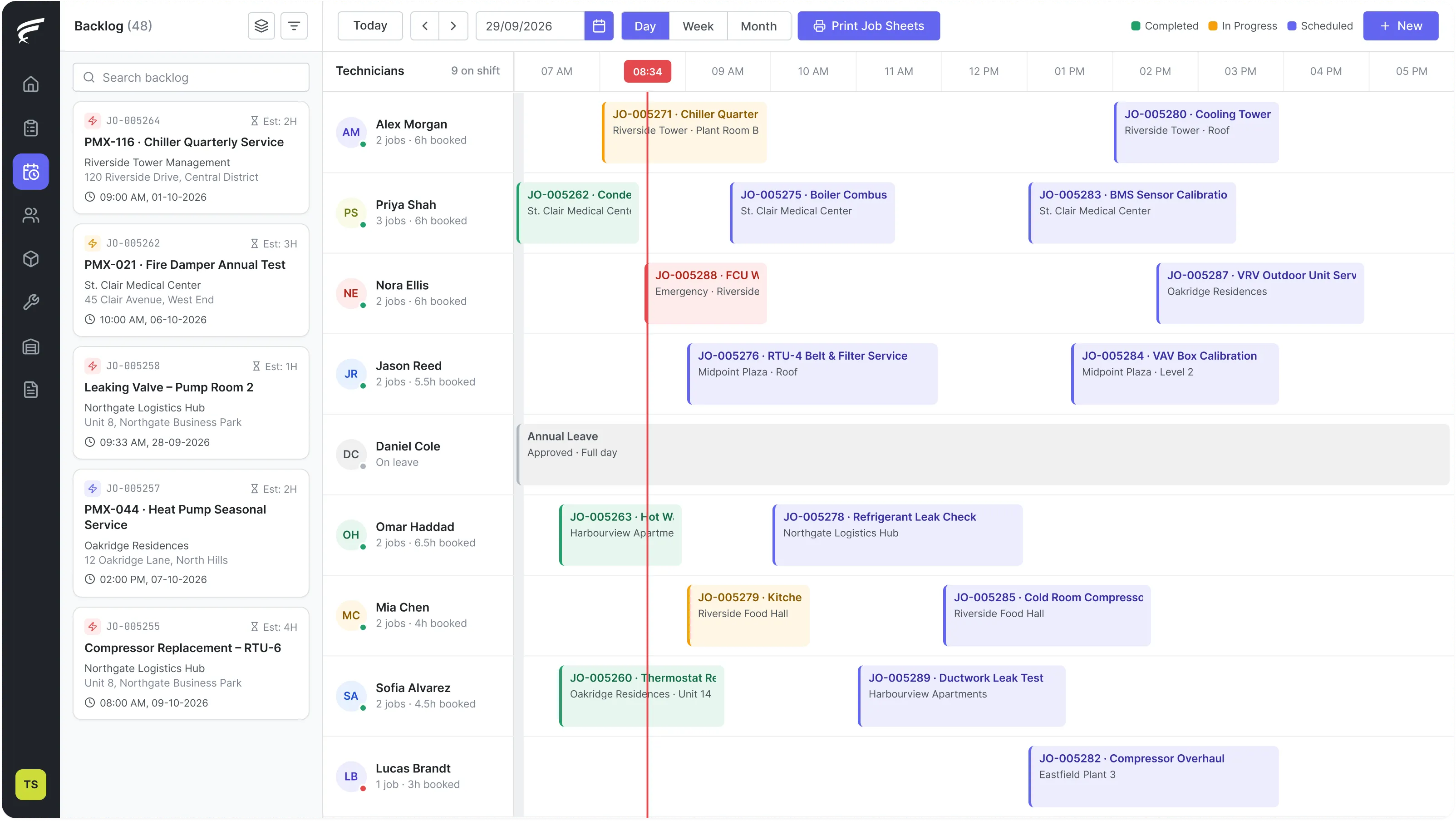
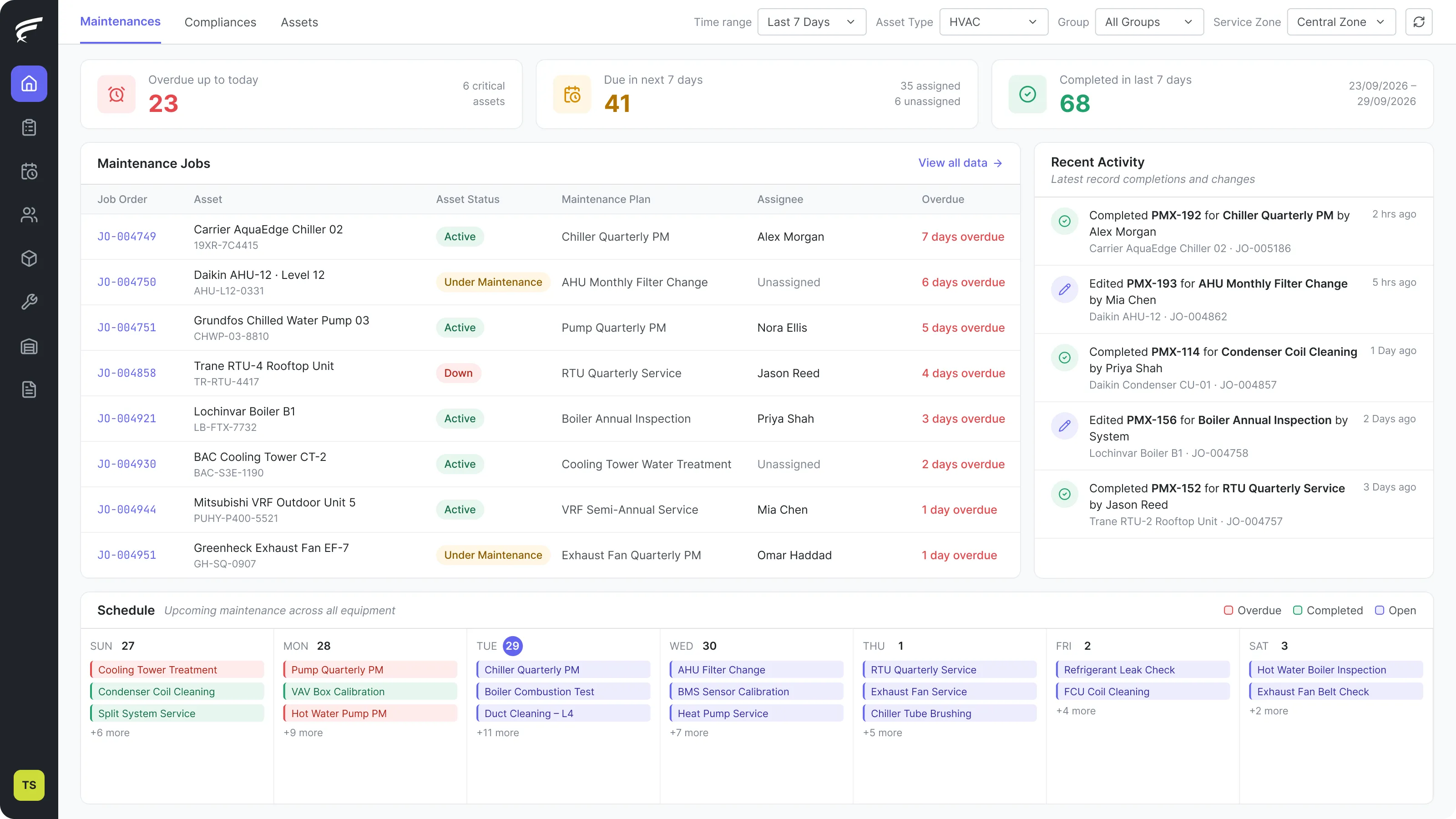
FieldEx runs the jobs your technicians do in the field and the assets they maintain, in one system. Work orders, dispatch, preventive maintenance, asset history, parts inventory and compliance records across every site and every trade – without the cost or complexity of an enterprise CMMS.


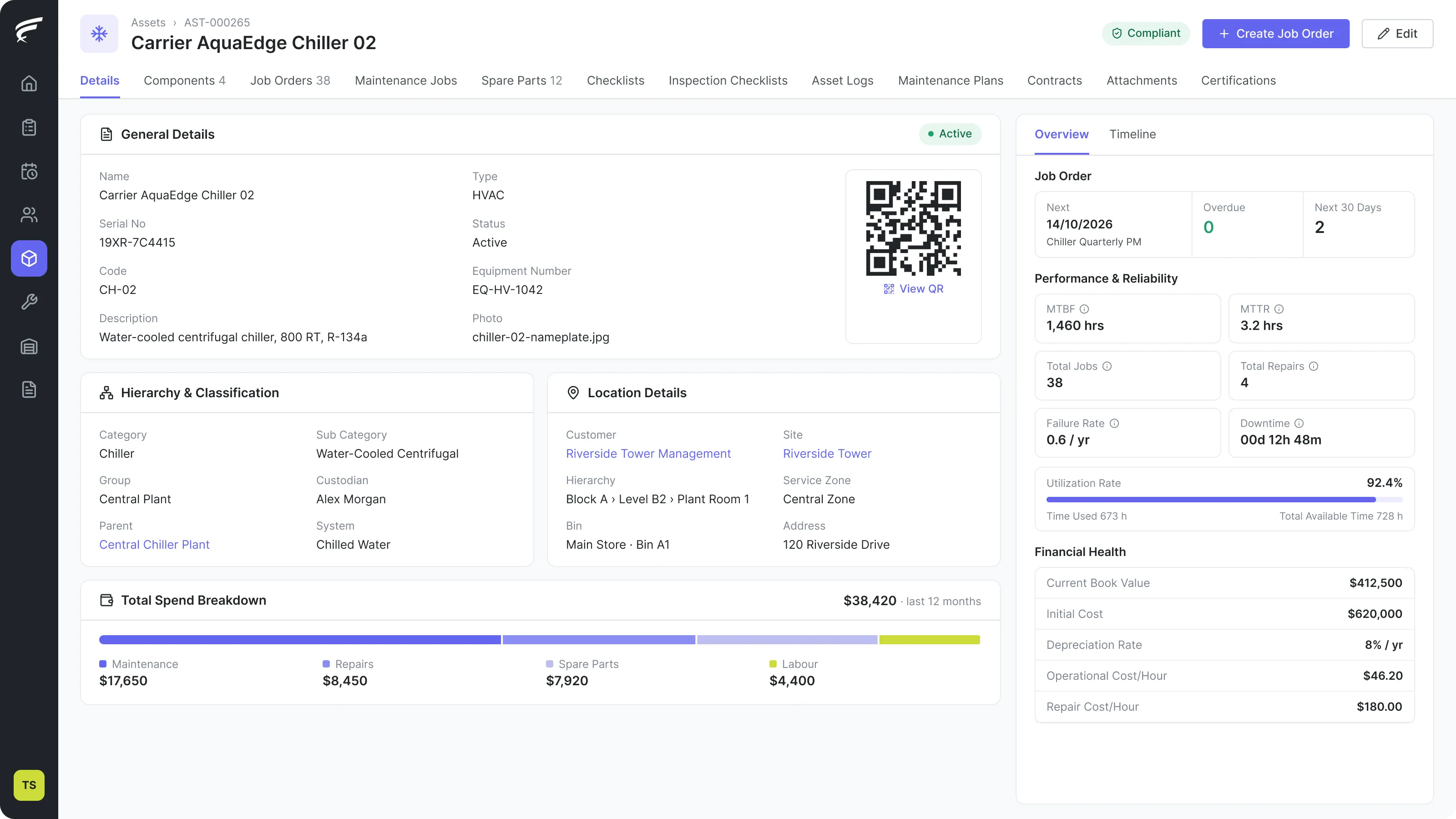
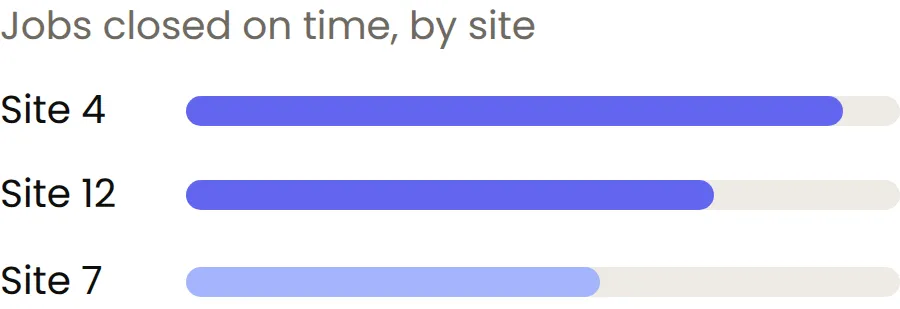
FieldEx goes beyond tracking jobs. Every machine has its own full history: every repair, every part used, every inspection. Leaders can see how each site and each type of work is really performing. Field teams stay coordinated, and customers get the same reliable service every time.
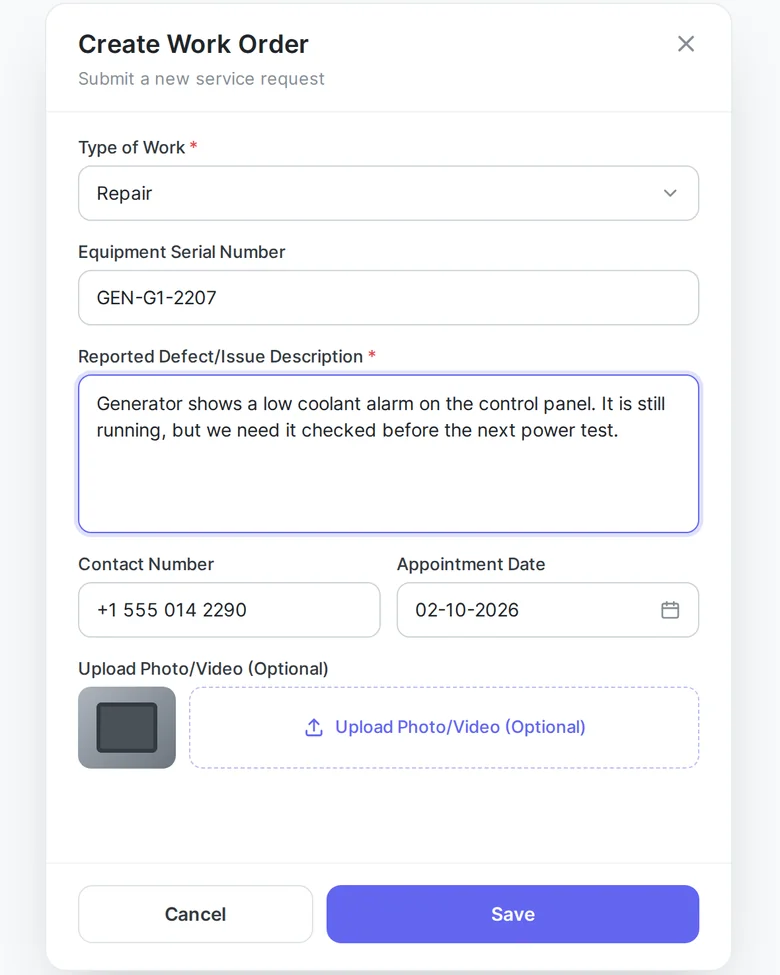
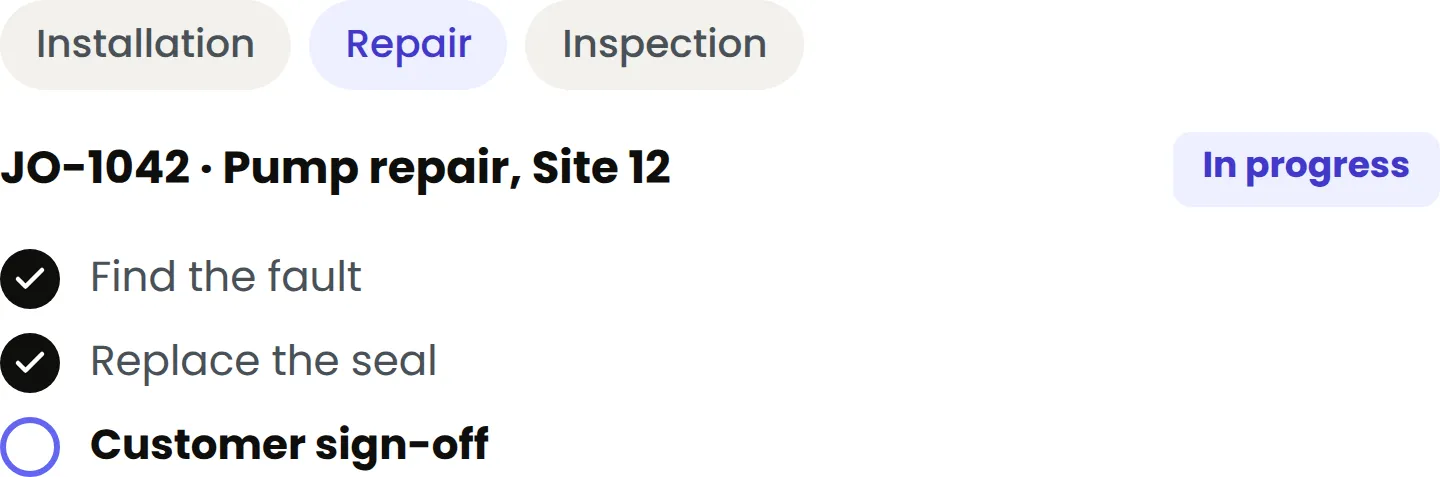
Each job type has its own fields, steps, and status flow. An installation looks different from a repair. A repair looks different from an inspection. Your team sees a form that matches the job, not one form built for everything.
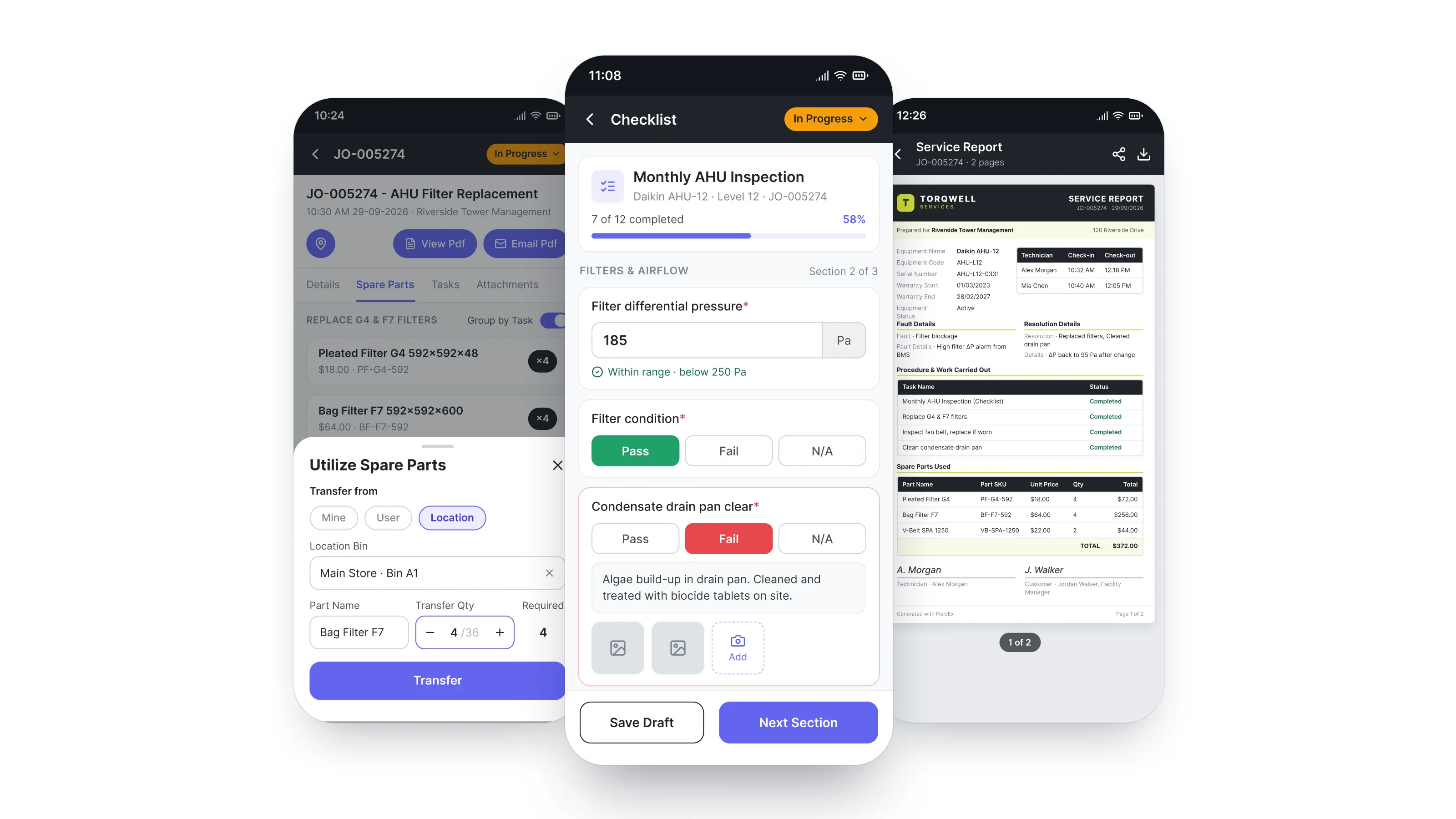
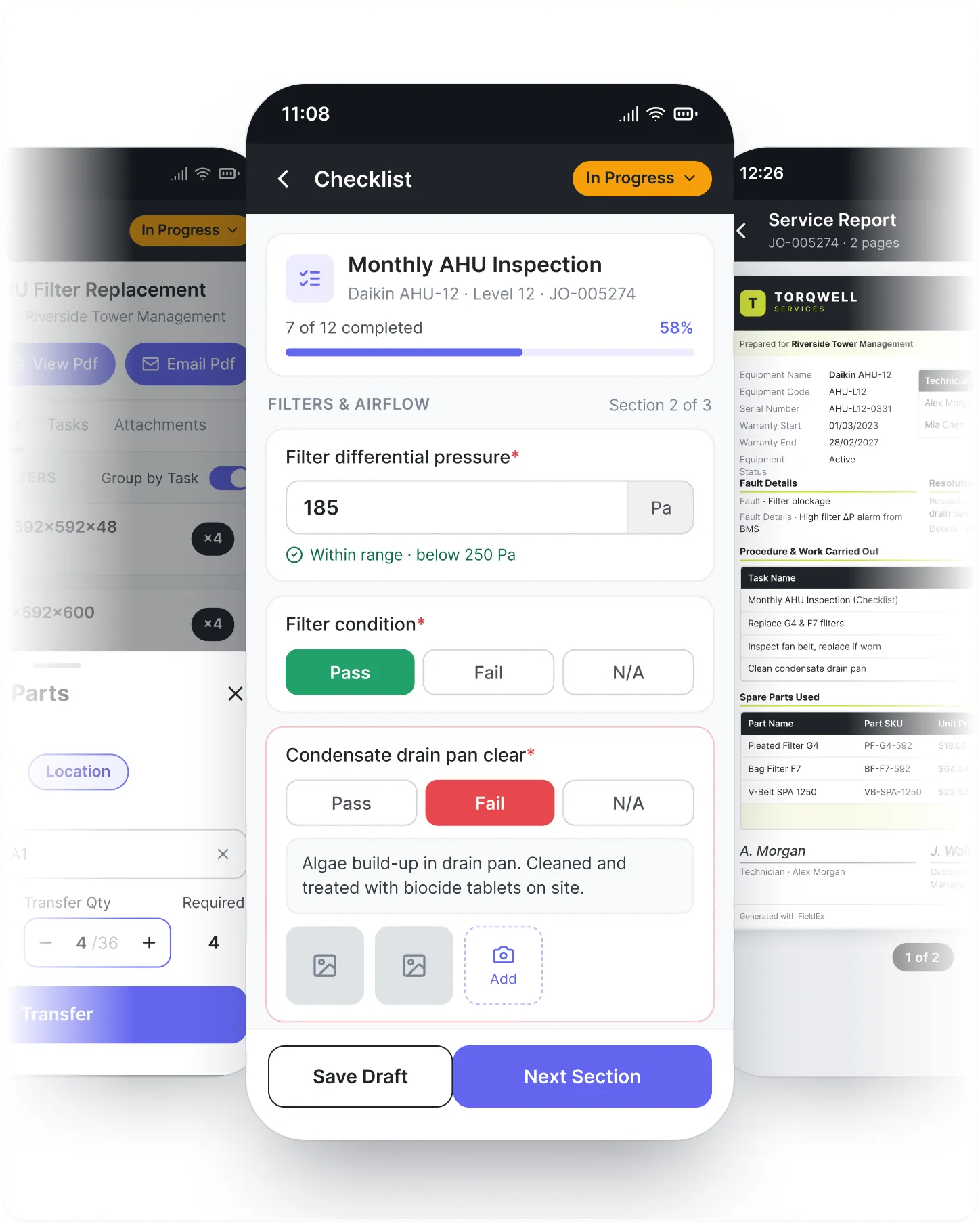
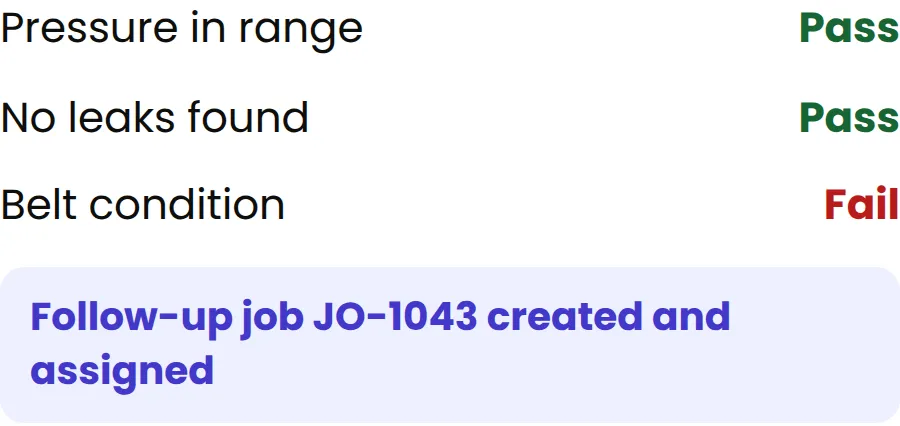
Build a checklist for each service type and each set of rules. When a technician finds a problem, FieldEx creates a follow-up job and assigns it. No one has to remember. Nothing gets missed.
The same checklist can update the asset's own status or meter reading automatically, so the record stays current without a separate step.
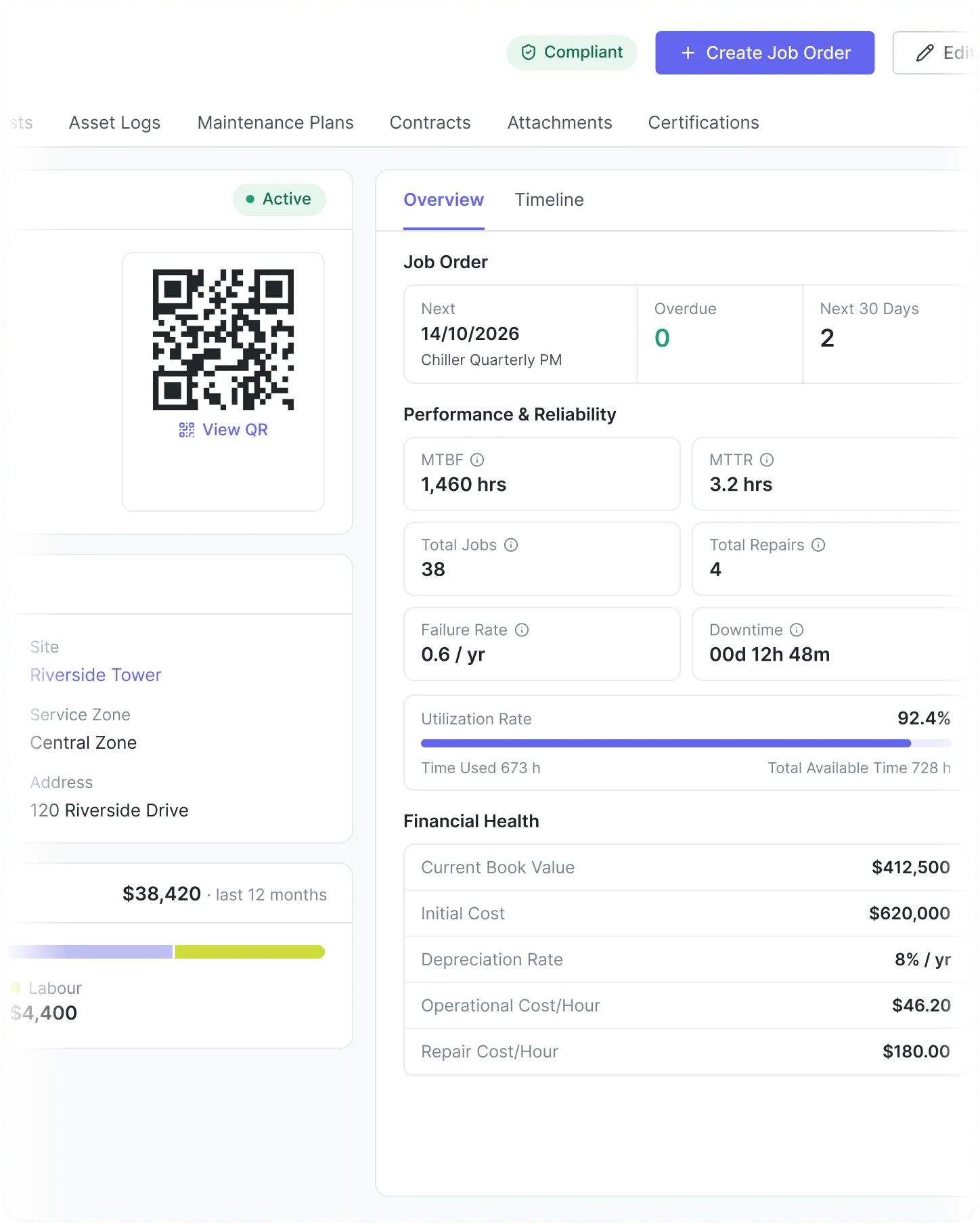
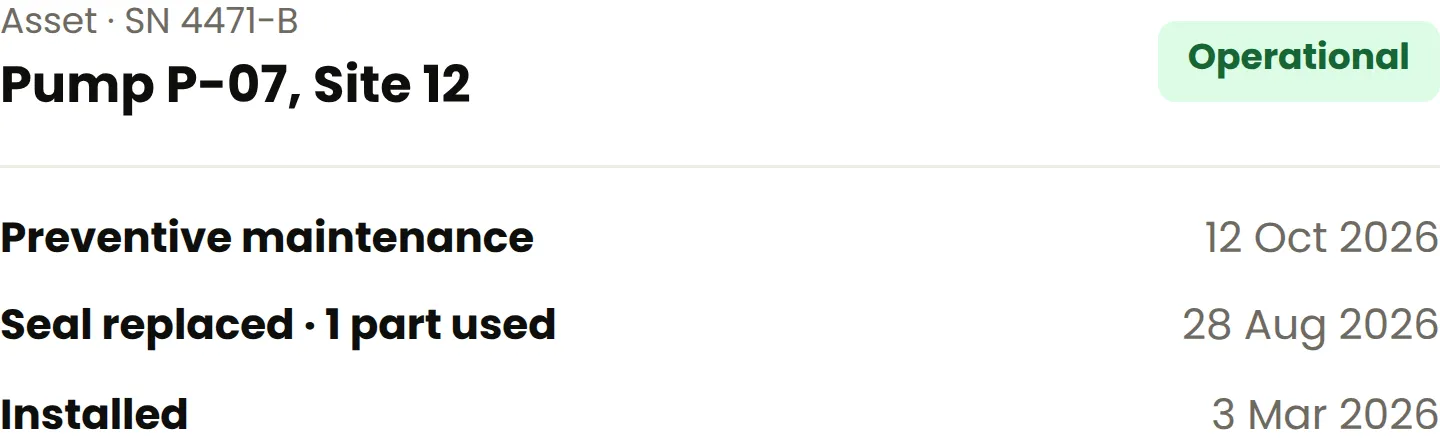
Every machine has a full service record, no matter the type. Look up assets by serial number. See every job, every part swap, every note. Larger systems and their parts are linked together.
Scan an asset's QR code from the FieldEx mobile app to jump straight into a checklist, a job order, a reading, or a transfer, or to open its full record.
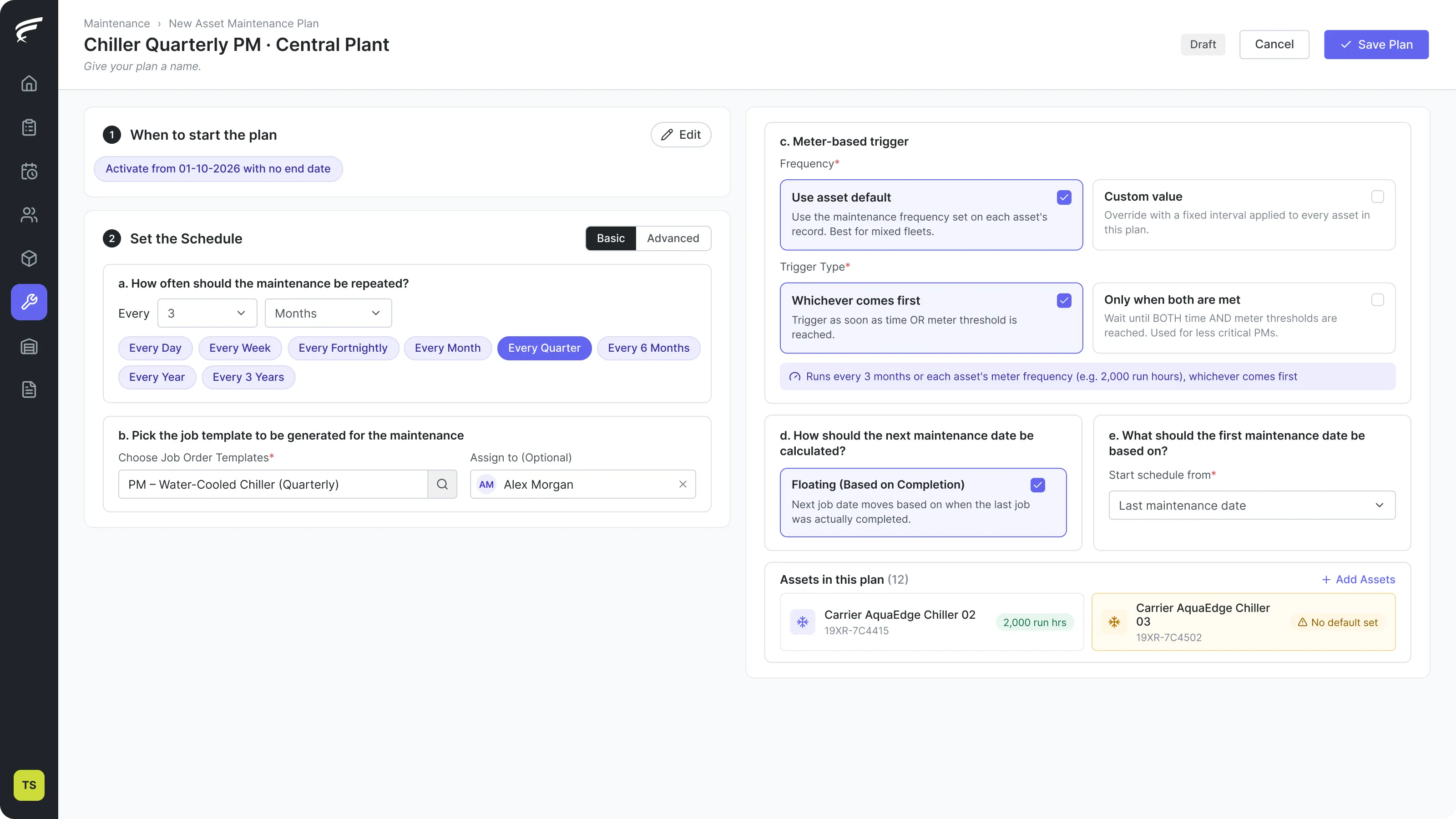
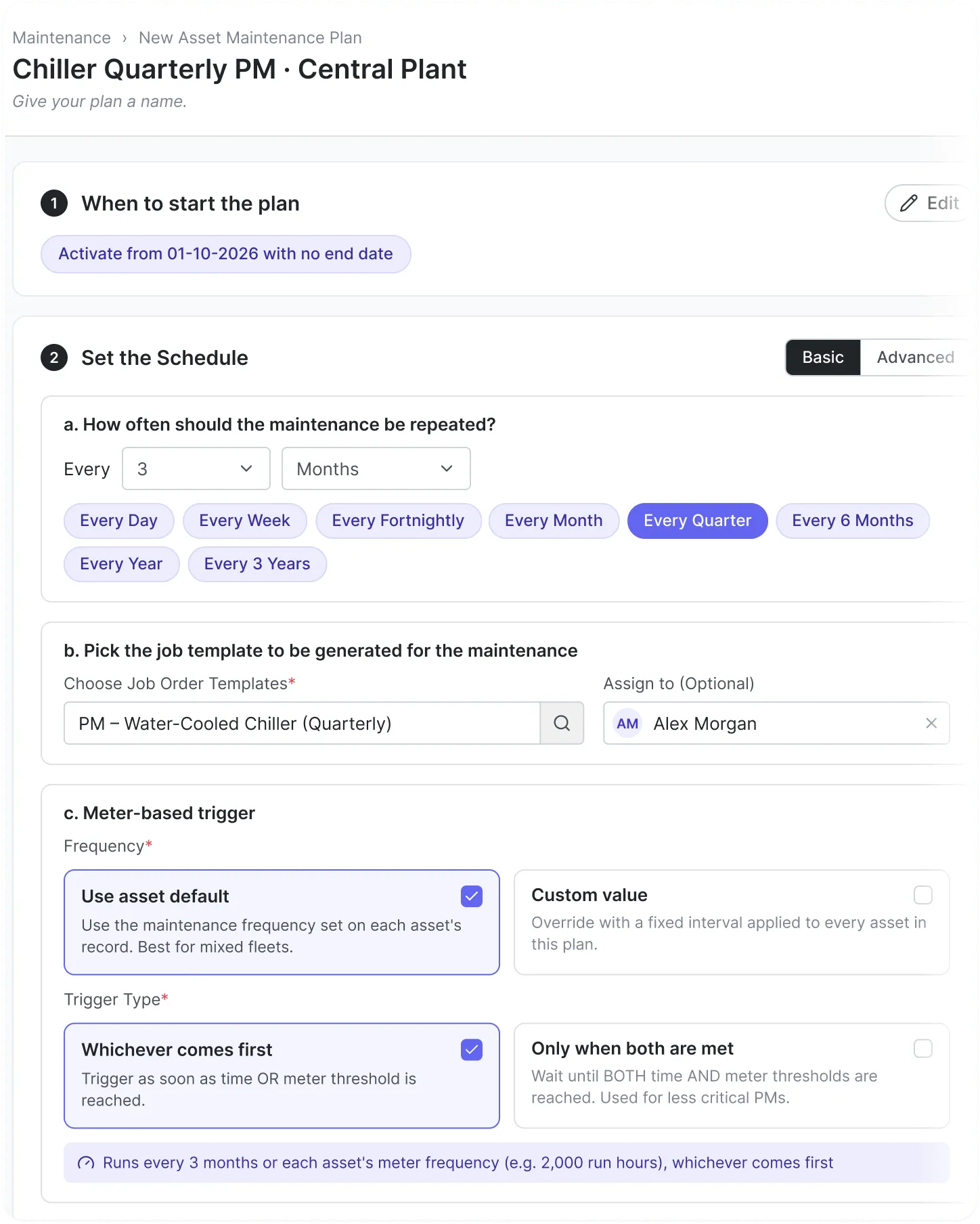
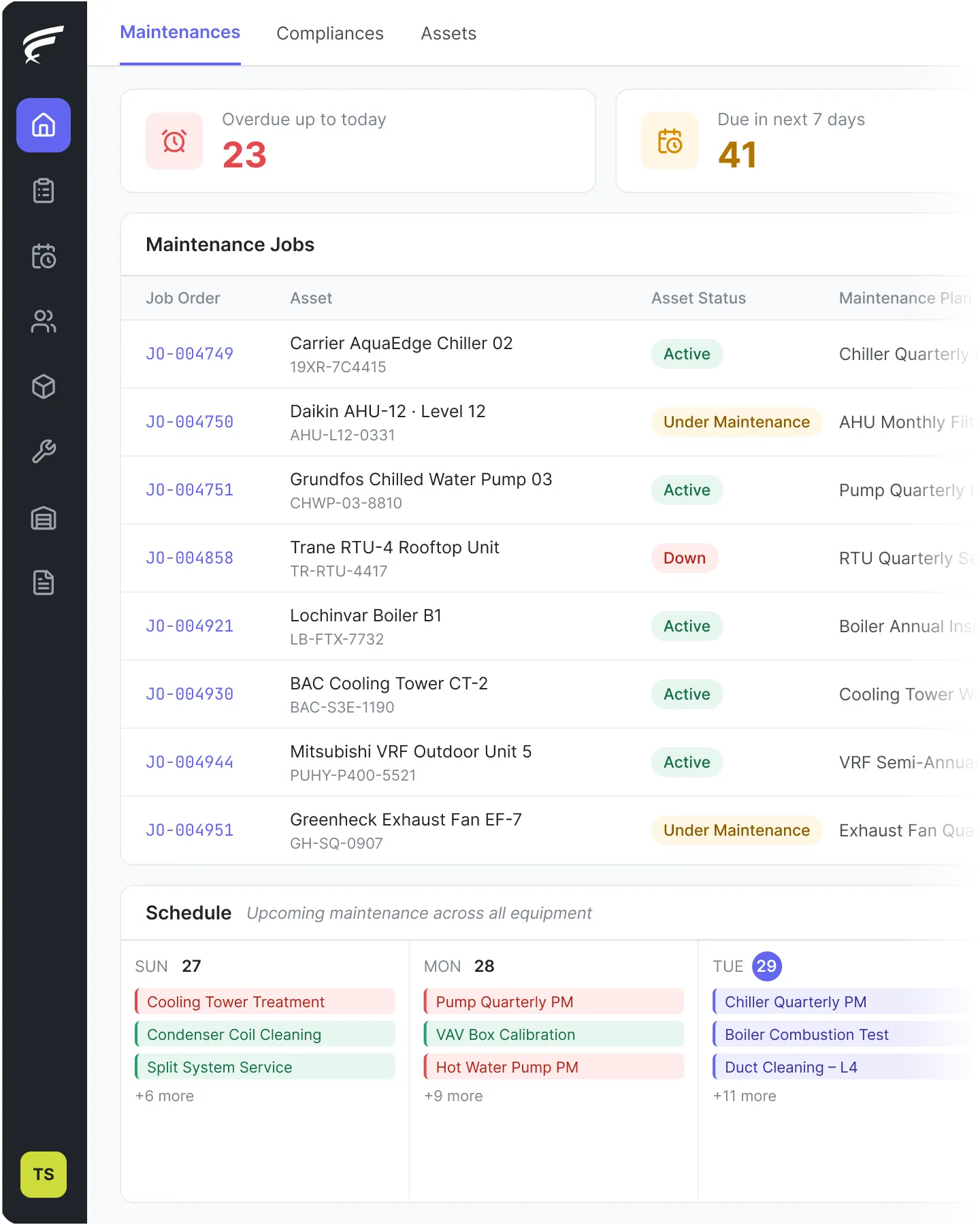
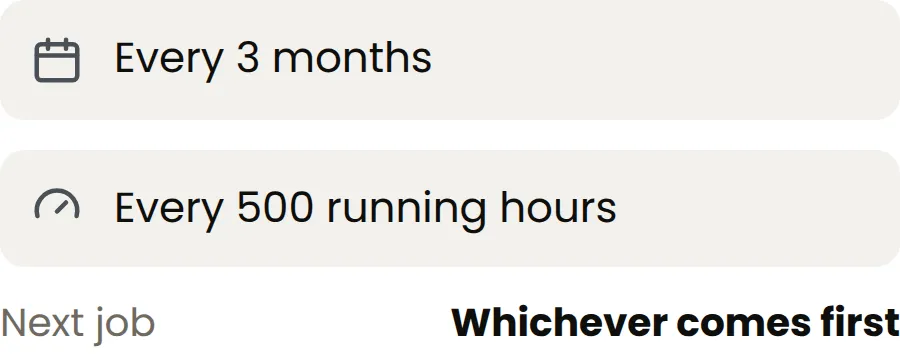
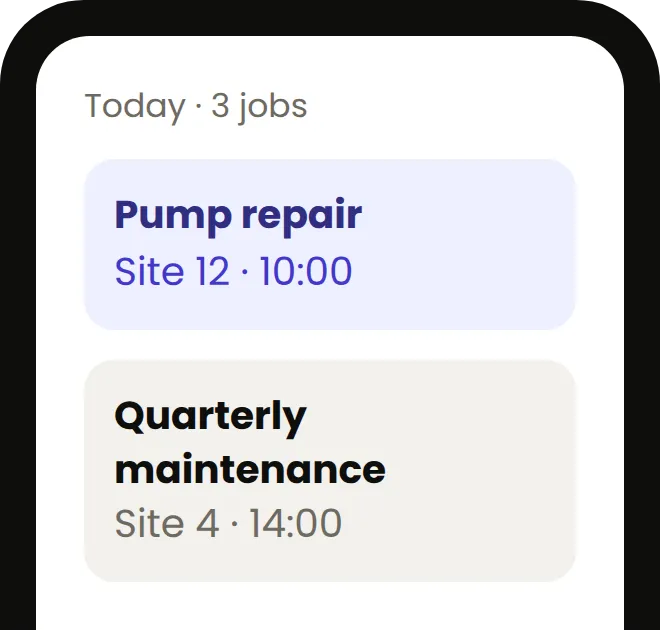
Schedule maintenance by date, by machine usage, or both. Attach a plan to a single machine or run a full site visit. FieldEx creates and assigns jobs on its own. Works for every type of machine and every service in your operation.
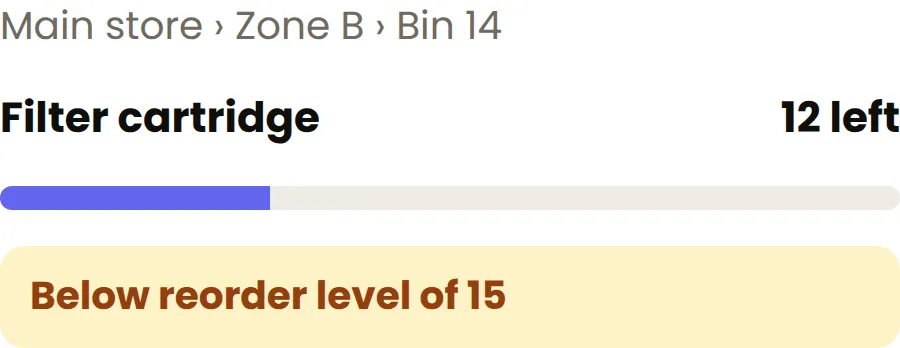
Track parts at three levels: location, zone, bin. Each technician has their own kit on the app. When they use a part on any job, stock levels update and the system flags when it is time to reorder. One process, no matter the service
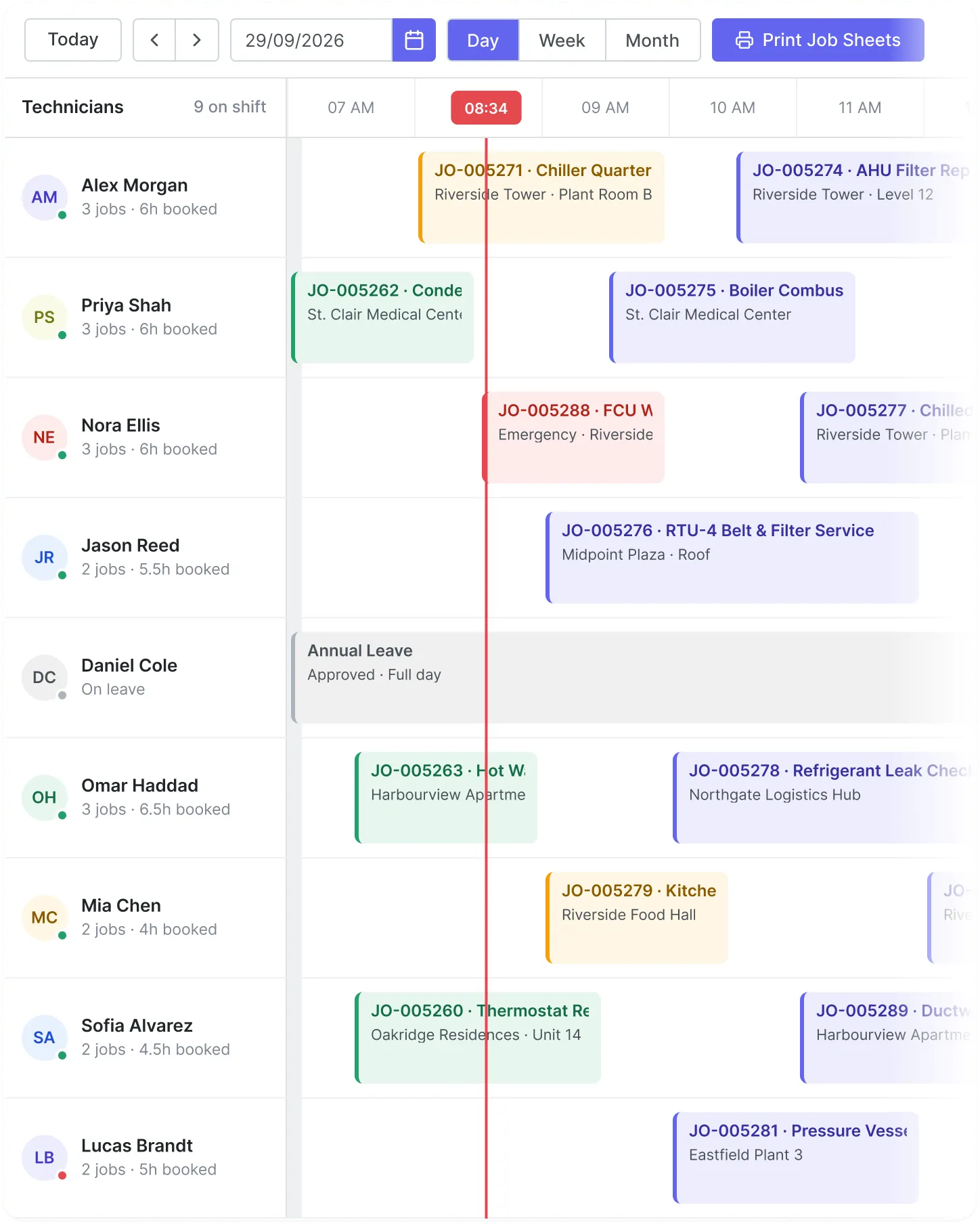
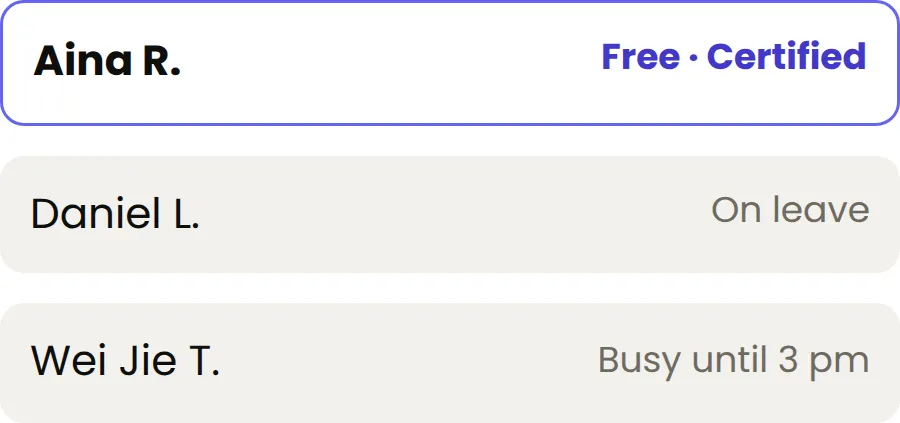
Group your technicians by area, skill, certificate, or service type. FieldEx sends each job to the right person on its own. It knows who is on leave, who is busy, and who is qualified.
Each job also carries the asset's own maintenance and certification history, so the technician already knows what they are dealing with before they arrive.
We would rather you knew now.
If you run a small team with basic operations and just need quoting, invoicing and online booking, you don't need FieldEx. A simpler tool like Jobber or Housecall Pro will suit you better.
If you're a global enterprise running a formal procurement process against IBM Maximo or SAP, FieldEx will not clear your requirements matrix.
If your work is project-based construction, or you need BIM (building information modelling) to model the building itself, FieldEx is the wrong shape. FieldEx manages the equipment inside and around buildings, and the maintenance done on it.If your work is project-based construction rather than recurring service and maintenance against assets, FieldEx is the wrong shape.
Auditors want records. Warranty providers want proof. Clients want to know the work was done properly. When you run several services, each with its own rules, that paperwork gets harder. FieldEx records everything as the job happens, sorted by job type, machine, and rule. When someone asks for proof, you find it in seconds.
Set mandatory steps in any order you need. Technicians work through them one by one — the job can't close until everything's done.
When a job wraps up, FieldEx builds a branded PDF with photos, timestamps, parts used, and a digital signature. Ready to send immediately.
Pull up any asset and see its complete history — every job, every part swap, every note. It takes about two seconds.

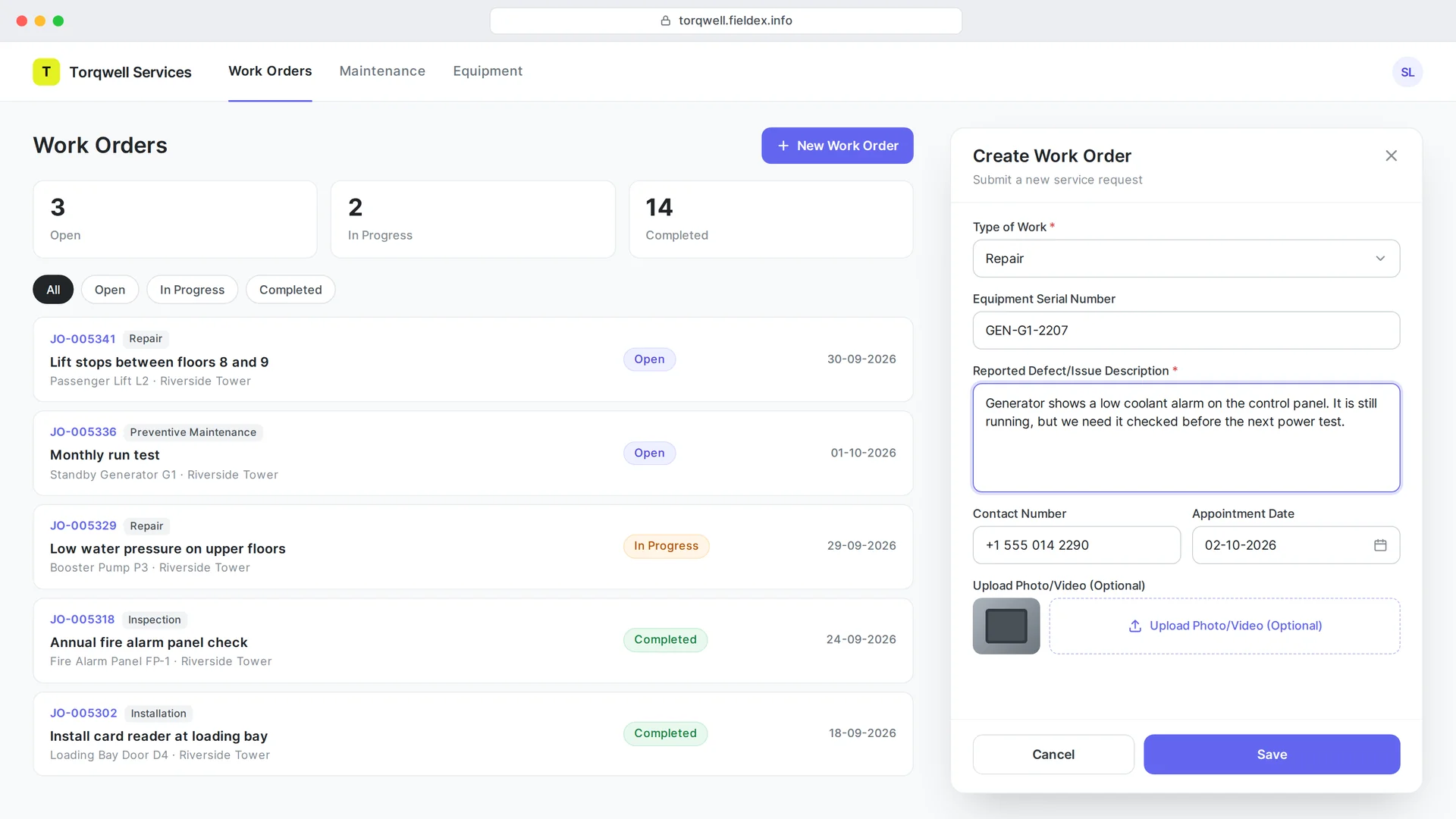
Your clients and the people on site do not need to call you to report a problem or check progress. FieldEx gives them a way to do it themselves, without giving them access to your whole system.
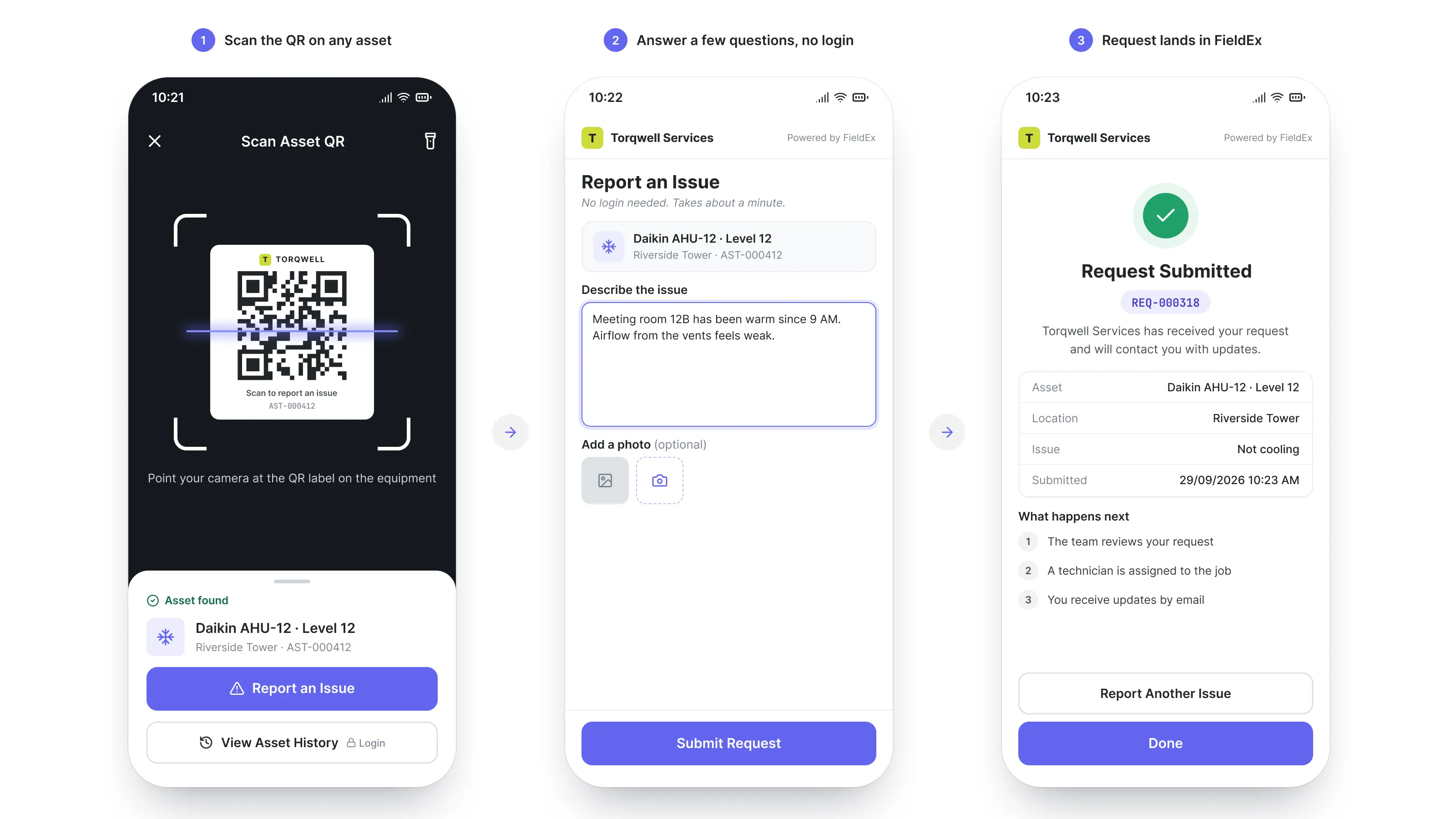
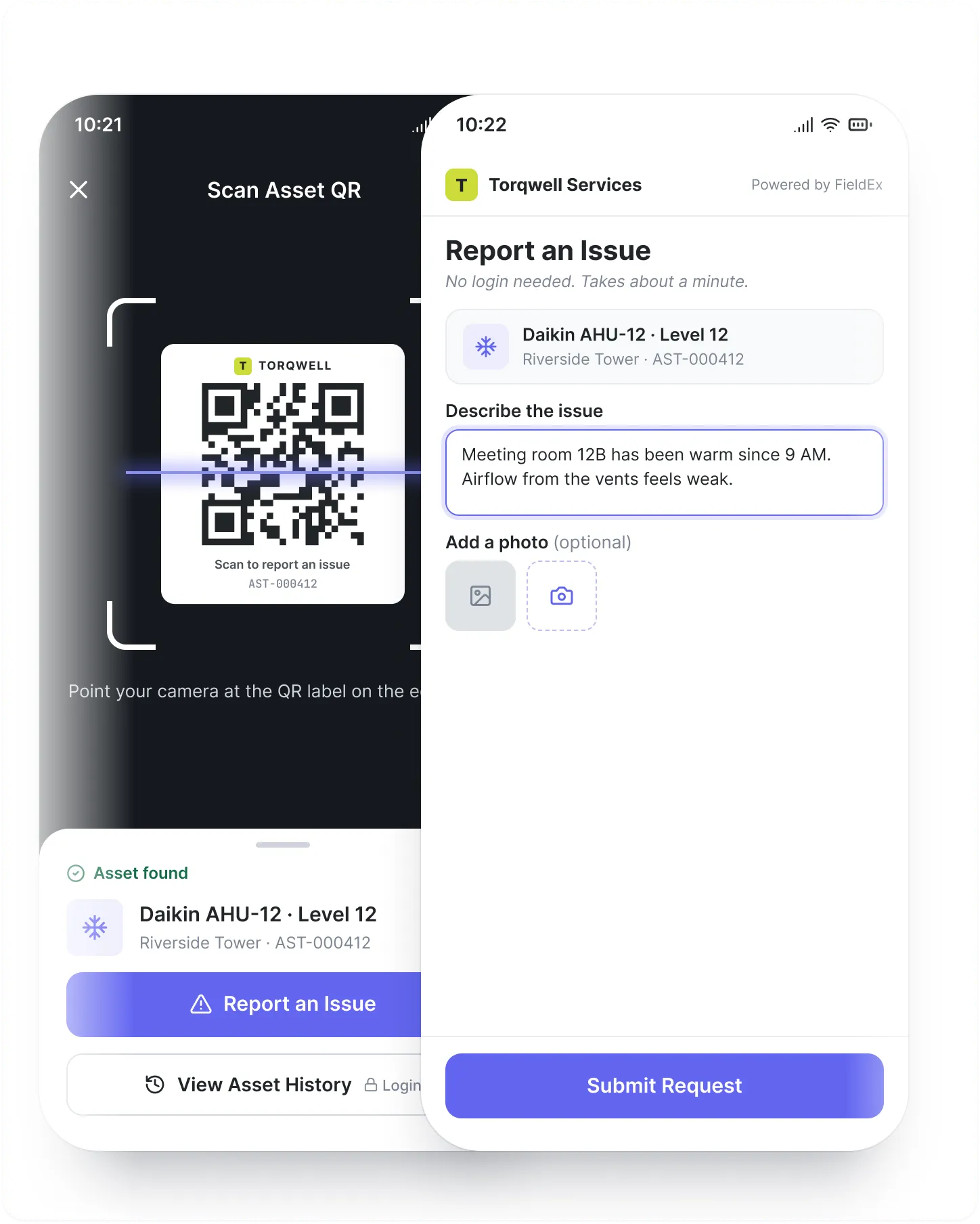
Stick a QR code on any piece of equipment or at any location. When someone scans it, they get a simple form to report a problem. They don't need an account or the app. The moment they submit, it comes into FieldEx as a real work order, automatically assigned to the right person.
1. End user scans QR code on equipment or site
2. Simple form opens with no login needed
3. They describe the issue and submit
4. FieldEx creates a work order and assigns it automatically
This is especially useful if your equipment is in public spaces or on client sites. Anyone who encounters a problem can report it instantly, and nothing gets lost in a phone call or email.

Give your clients a window into their service requests without giving them access to your whole system. The customer portal lets your clients log in and check the status of their open tickets in real time. They see what's been reported, what's in progress, and what's been resolved. It cuts down on status-update calls and keeps everyone informed without extra work from your team.

Most field service tools fail to land because the team is too busy to set them up, move the data across, and learn a new system. So we do all of it. We set up your account, move your data over, build your forms and checklists into FieldEx, and train your people. No setup fee. No setup cost. If we do not deliver what we agreed, you do not pay.
Drop your Excel sheets to import your data or connect your existing system via OpenAPI. FieldEx helps arrange every asset, part and job for you.

Switch 'Assets' to 'Machines' or 'Work Orders' to 'Jobs'. FieldEx adapts to your language, not the other way around.

Take a photo of your paper forms. FieldEx auto-builds a digital version with steps and fields, which your team can start using immediately.


Whether you’re setting up your first workflow or scaling across teams, our support team moves fast and actually solves things. No ticket black holes. Just real help, when you need it.
Switch instantly between languages. Train every crew member in the language they use daily.


FieldEx comes with out-of-the-box connectors for platforms like Xero, QuickBooks, and more. Plus OpenAPI support to integrate with any system you use.


Have every asset, task and field team fully connected. FieldEx gives you ONE platform to manage it all, without the mess of outdated tools.

Smart Assign automates task allocation using availability, skills, location, team, and utilization, optimizing efficiency.

Capture and store photos, videos, and documents in work orders for thorough documentation.

Field agents capture digital signatures via the app, ensuring proof of service completion.

Checklists trigger job order creation automatically based on responses, streamlining the workflow.

Managers get real-time task updates with check-in/out proximity validation for accuracy.

Job, task, and spare part templates auto-activate via checklists, expediting job creation.
Track field agent journeys via GPS, real-time or manual, enhancing transparency and accountability.

Manage assets with detailed info, customizable fields, and accurate tracking for business operations.

Generate QR codes and barcodes for assets, enabling efficient scanning and tracking.

Create and group asset contracts with leasing terms and custodians for simplified management.

Bundle accessories to assets, including them in contracts for a comprehensive resource overview.

Schedule and track maintenance with templates, ensuring asset longevity.

Record asset movements, contracts, and maintenance for a clear asset history.

Tracks maintenance type, frequency, and details for each asset.

Custom email notifications for upcoming maintenance within a set timeframe.

Alerts notify when maintenance tasks become overdue to prevent breakdowns.

Solar solutions for homes, commercial, and custom roofing

Automatically creates job orders, skipping holidays, and including required parts.

Create and manage multiple warehouses with zones and bins for efficient organization.

Track part locations, quantities, and stock counts for full inventory visibility.

Monitor parts from warehouse storage to job order consumption for accurate records.

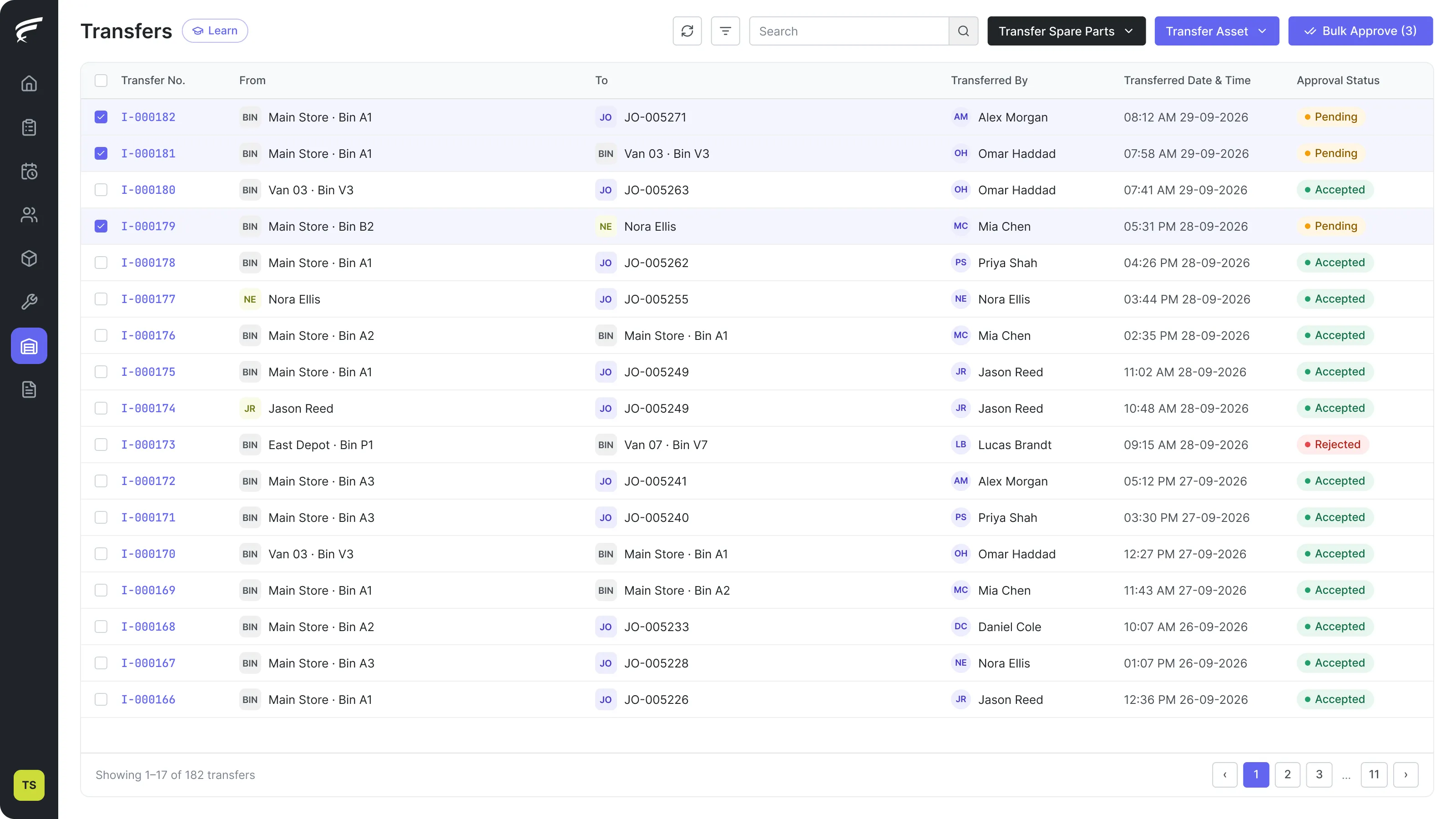
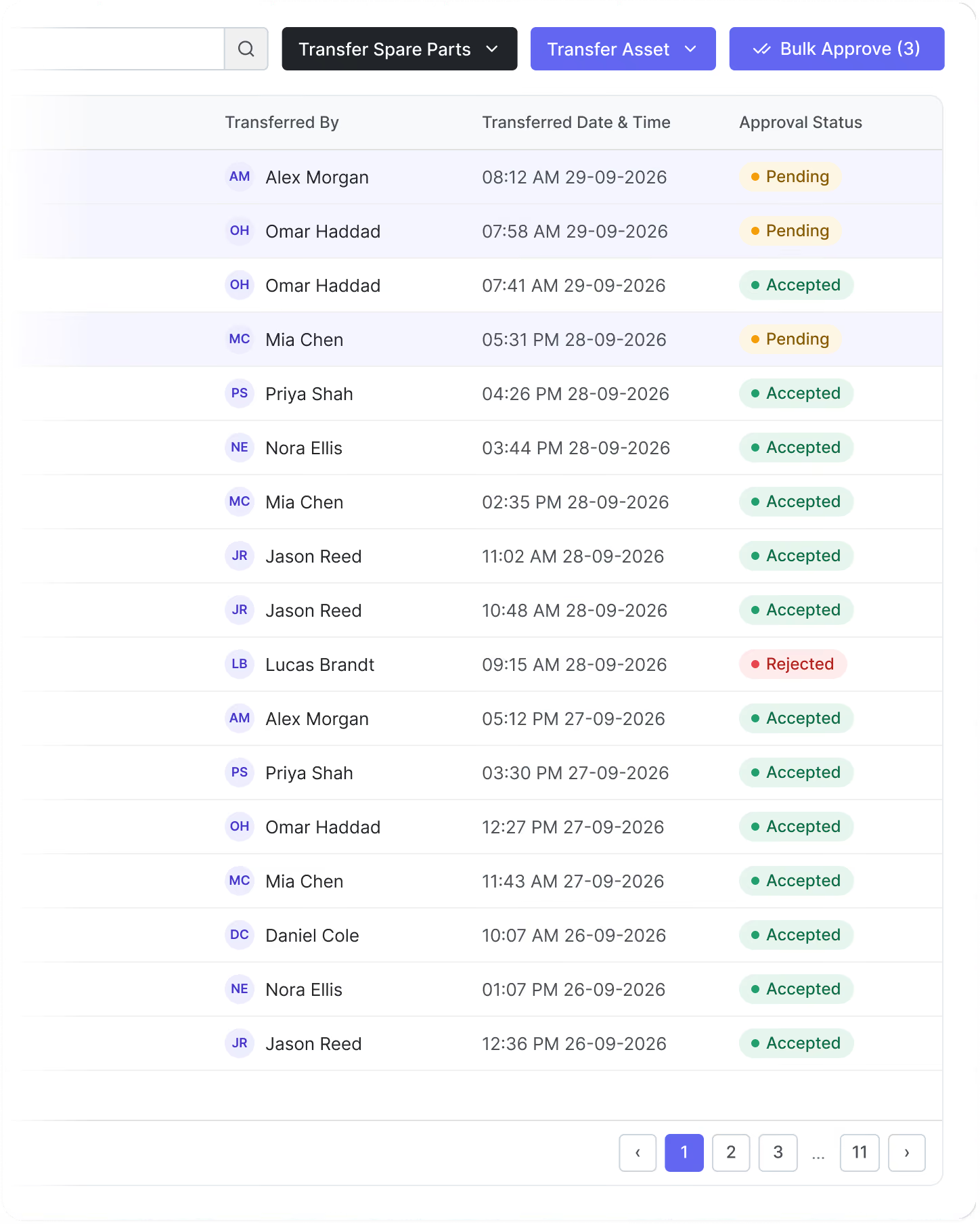
Seamlessly transfer parts between locations, tracking technician possession in real time.

Integrated approval process ensures accountable part transfers via web and mobile.

Solar solutions for homes, commercial, and custom roofing
Field agents update part status, simplifying returns and replacements via mobile.

Set understock and reorder alerts to prevent stockouts and optimize inventory.

Tailor checklists for any industry or use case to meet specific field requirements.

Configure detailed checklists with sections, questions, and answers for thorough evaluations.

Agents update asset status and readings directly within checklists for efficient records.

Checklists trigger job orders automatically based on submitted responses.

Predefined templates automate job orders, tasks, and spare parts setup.

Ready-made reports provide real-time statistics for different modules and performance tracking.

Share reports internally or via email with role-based access controls.

Build reports using multiple modules, filters, and calculations for tailored insights.

Download reports in PDF or CSV format for easy sharing and storage.

Real-time dashboards display jobs, assets, and inventory data with charts and tables.

Solar solutions for homes, commercial, and custom roofing

Adjust list views with custom columns, filters, and layouts for better usability.

Store customer contact, billing, and shipping details for streamlined operations.

Use customizable picklists to categorize customers by sector, industry, and type.

Define customer locations to optimize task assignments and service delivery.

Track job orders, sites, assets, and contracts within the customer profile.

Document customer and asset contracts, including custodians and validity periods.

Set different business hours to match various SLA requirements and service levels.

Configure SLAs to activate only for specific customers with tailored service commitments.

Create SLAs with multiple steps, including triggers for start, pause, and completion.

Apply multiple SLA policies to the same job or ticket for comprehensive coverage.

Configure automated alerts for SLA start, risk, violation, and completion.